You have cleared immigration at Dhaka airport, collected your luggage and stepped into the arrivals hall. Your hotel driver may be waiting outside, Google Maps is not loading and the messaging app you planned to use is still searching for a network.
For many international visitors, getting connected is the first practical challenge after arriving in Bangladesh.
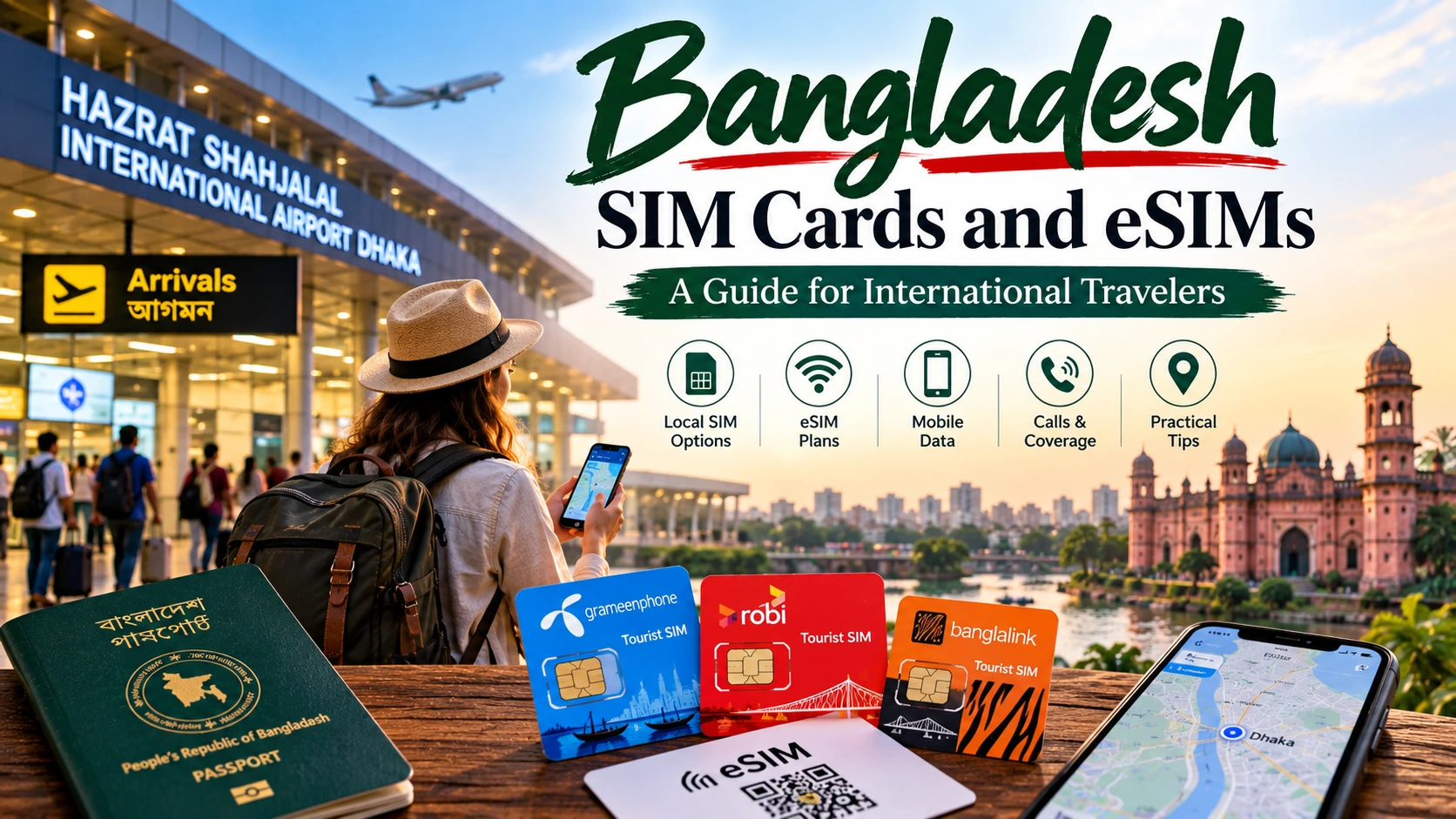
Fortunately, foreign travelers can obtain mobile service in Bangladesh. Depending on your phone, length of stay and need for a local number, you can choose a physical tourist SIM, a locally issued eSIM, an international travel eSIM or roaming from your home carrier.
The important part is choosing the right option before you need it.
Quick answer: If you need only internet access and have an unlocked, eSIM-compatible phone, a travel eSIM installed before departure is normally the fastest way to get online after landing. If you need a Bangladeshi telephone number, local calls or in-person support, purchase an officially registered tourist SIM or local eSIM using your passport and valid visa.
Never purchase an anonymously activated or pre-registered SIM from an unofficial seller.
Information checked on September 27, 2026. Operator packages, registration procedures, airport-counter hours and prices can change. Confirm the current terms with the operator before purchasing.
Bangladesh SIM Card Options at a Glance
International travelers generally have four connectivity options.
| Option | Best for | Local Bangladeshi number | Registration | Main limitation |
| Physical tourist SIM | Travelers needing calls, data and local support | Usually yes | Passport and valid visa required | Requires an authorized sales point and compatible SIM slot |
| Local operator eSIM | Travelers wanting local service without a plastic SIM | Usually yes | Local registration is still required | Device and outlet eligibility must be confirmed |
| International travel eSIM | Immediate internet access after arrival | Often no | Usually completed online with the provider | Many plans are data-only |
| Home-carrier roaming | Very short visits or business travelers | Keeps home number | Arranged with home carrier | Can be expensive and may have limited data |
There is no single option that is best for every visitor. A seven-day business traveler who needs email and ride-hailing has different requirements from a photographer traveling through Dhaka, Sylhet and the Chittagong Hill Tracts.
Can Foreign Tourists Buy a SIM Card in Bangladesh?
Yes. Foreign passport holders can legally obtain a Bangladesh SIM card, but the connection must be registered under the traveler’s own identity.
Grameenphone officially markets a Tourist SIM for foreigners, travelers, entrepreneurs and business visitors. The operator states that customers need a valid passport and visa and that its Tourist SIM may be issued as either a regular physical SIM or an eSIM. grameenphone.com
Robi’s subscription terms also address foreign passport holders. They require the visa-expiry date during registration, and the operator links the connection’s active period to the customer’s authorized stay. robi.com.bd
These requirements mean a tourist should not expect to purchase a properly registered local SIM from any random street shop.
Documents you should carry
Bring the following when purchasing a tourist SIM Bangladesh connection:
- Your original passport
- A valid Bangladesh visa or other valid entry authorization
- Proof of your permitted stay, if requested
- A local address, such as your hotel’s name and address
- An unlocked and compatible mobile phone
- A payment method accepted by the outlet
The representative may need to record information from your documents and complete the operator’s identity-verification process.
Requirements can change, so ask the authorized outlet what information it needs before handing over documents. Keep your passport in sight and do not allow an unofficial seller to retain it.
Why registration matters
A properly registered SIM protects both the traveler and the legitimate owner of the mobile number. If you buy a pre-activated SIM registered to someone else, you may encounter service cancellation, account-recovery problems or difficulties if the device is lost.
You also cannot be certain how the number was used before it reached you.
The safest approach is simple: buy from an operator booth, experience center or authorized service location and ensure the number is registered in your own name.
Where to Buy a SIM Card in Bangladesh
The best location depends on when you arrive, which operator you prefer and whether you need immediate connectivity.
Buying a SIM at Dhaka Airport
Hazrat Shahjalal International Airport’s official passenger information states that SIM-company booths are located in the Arrival Concourse Hall, after customs, in front of Customs Green Channel 01. The airport says mobile recharging is also available in this area. faq-us
This makes a SIM at Dhaka Airport convenient for travelers who need a local number immediately.
After collecting your baggage:
- Complete customs formalities.
- Exit near Customs Green Channel 01.
- Look for an official mobile-operator booth.
- Ask whether the connection can be registered using a foreign passport.
- Confirm the package, validity and included services.
- Test mobile data and calling before leaving the counter.
- Keep the receipt and SIM packaging.
The airport’s website confirms that SIM sales facilities exist, but it does not guarantee that every operator booth will be open for every arriving flight. Counter locations and opening hours can also change.
If you arrive late and no authorized counter is operating, use airport Wi-Fi, your existing roaming service or a pre-installed travel eSIM until you can reach an official customer-service center.
Buying from an operator service center
An official operator experience center is often the best choice if you want clear assistance with:
- Foreign-passport registration
- eSIM eligibility
- Package activation
- Access-point settings
- Replacement procedures
- Local-number verification
- Balance and validity checks
Grameenphone states that its Tourist SIM is available through more than 40 customer-care and experience centers serving tourist hubs.
Before traveling to a center, check its official locator and opening hours. Hours can differ on Fridays, public holidays and religious holidays.
Buying from an ordinary mobile retailer
Local phone shops are common across Bangladesh, but not every retailer can process a connection for a foreign passport holder.
A retailer may be able to sell recharge credit or a data package without being authorized to complete a new foreign-customer registration. Ask specifically whether the store can register the SIM in your name using your passport.
If the seller proposes using another person’s identity, leave and use an official operator outlet.
Tourist SIM Versus an Ordinary Prepaid SIM
A tourist SIM is designed around the expected length and needs of a short international visit. An ordinary prepaid connection may have different registration procedures, validity rules and packages.
Grameenphone’s Tourist SIM has historically offered different validity periods, including 7, 15 and 30 days. However, packages and conditions change, so verify the live offer instead of relying on an old screenshot or travel forum. tbsnews.net
When comparing plans, ask these questions:
- Does the package include a Bangladeshi telephone number?
- How many gigabytes of data are included?
- Are local calls or text messages included?
- When does validity begin?
- Can the package be renewed?
- Does unused data expire?
- Can the SIM receive verification messages?
- Is hotspot or tethering permitted?
- What happens when the visa or permitted stay expires?
- Where can you obtain English-language support?
Do not select a plan only because it advertises a large amount of data. A smaller plan with reliable registration, suitable validity and accessible customer support may be more useful.
Does Bangladesh Have eSIM?
Yes. eSIM service is available for Bangladesh, although “Bangladesh eSIM” can refer to two substantially different products.
An eSIM is embedded in a compatible device and can activate a mobile plan without inserting a physical card.
The first option is a local eSIM issued by a Bangladeshi mobile operator. The second is an international travel eSIM purchased online before the trip.
Local Bangladesh eSIM
A local operator eSIM normally functions like a local mobile account. Depending on the offer, it may provide:
- A Bangladeshi number
- Local mobile data
- Local calls and text messages
- Operator customer service
- Recharge through local channels
Foreign visitors must still satisfy the operator’s registration requirements. The word “digital” does not make the account anonymous or eliminate the passport-and-visa process.
Grameenphone states that its Tourist SIM can be supplied as either a physical SIM or eSIM. Robi also advertises prepaid SIM/eSIM service, although eligibility, foreign-passport processing and outlet availability should be confirmed directly.
International travel eSIM
A travel eSIM is purchased from a company that sells destination or regional data plans. It can be useful because you may install it before flying and connect shortly after landing.
Many travel eSIMs are data-only. That means they may not include:
- A Bangladeshi telephone number
- Conventional voice calls
- Standard SMS messages
- Local-number verification
- In-person support in Bangladesh
You can usually continue using WhatsApp, Signal, Messenger or another internet-based calling service. However, verify how your banking, ride-hailing and authentication apps work before relying on a data-only product.
Some travel eSIMs require data roaming to be enabled on the eSIM line. Follow the provider’s instructions rather than assuming that roaming should always be switched off.
Confirm phone compatibility before purchasing
Before buying any eSIM, verify that:
- Your exact phone model supports eSIM
- The device is carrier-unlocked
- The phone supports the network bands used by the plan
- You have an available eSIM slot
- Your operating system is current
- The QR code or activation details are accessible offline
- You understand when the plan’s validity begins
Apple notes that eSIM functionality depends on having a compatible device and supported carrier arrangements. The same principle applies to Android devices, where compatibility can vary by model, sales region and carrier. support.apple.com
Do not rely only on the phone’s marketing name. Two versions of what appears to be the same model can have different eSIM capabilities.
How to Choose the Best SIM Card for Bangladesh
No mobile operator can be declared the best for every visitor and every region without current, route-specific testing.
A strong signal in central Dhaka does not guarantee the same experience beside a wetland, inside a forest or on a mountain road.
Choose according to your itinerary.
For a short stay in Dhaka
A travel eSIM may be sufficient if you need Maps, email, messaging and ride-hailing. A local tourist SIM becomes more useful if you need local calls, restaurant reservations or direct communication with drivers and guides.
Reliable data is particularly useful when you plan to Discover Dhaka City, because traffic conditions and journey times can change quickly.
For photographers and content creators
Photographers should consider coverage, upload requirements and hotspot availability—not merely the headline data allowance.
If you are joining a Street Photography Tour in Dhaka, keep your camera files backed up but avoid automatically uploading full-resolution photographs over mobile data. A single day of RAW files or high-resolution video can use an entire travel package.
Use mobile service for navigation, communication and selected previews. Save large backups for reliable hotel Wi-Fi.
For travel outside major cities
If your route includes tea country, river regions, coastal areas or the hills, ask the operator about the specific districts you will visit. Download offline maps before leaving a major city.
Coverage can be less consistent:
- On rural roads
- Inside forests
- Near international borders
- On river journeys
- In hilly terrain
- During severe weather
- At crowded festivals or transport terminals
Carry your hotel address, guide’s number and essential booking details offline. Mobile connectivity should support your journey, not become your only navigation plan.
How Much Mobile Data Do You Need?
Your data requirement depends more on your behavior than on the number of travel days.
A practical planning range is:
| Usage style | Typical activities | Suggested starting allowance |
| Light | Maps, messages, email and occasional browsing | 1–3 GB per week |
| Moderate | Social media, ride-hailing, regular photo uploads and video calls | 5–10 GB per week |
| Heavy | Frequent video, hotspot use, cloud backups and content creation | 15 GB or more per week |
These are planning estimates, not guarantees.
Video streaming, automatic cloud backups, app updates and hotspot use can consume data quickly. Turn off automatic photo and video backup before traveling if your plan has a limited allowance.
Download these before departure or while connected to trusted Wi-Fi:
- Offline map areas
- Airline and hotel confirmations
- Translation language packs
- Transport addresses
- Travel insurance documents
- Passport and visa copies stored securely
- Emergency contact details
How to Install a Travel eSIM Before Flying
Installing an eSIM before departure can prevent a stressful setup process at the airport.
Before purchasing
Confirm that the phone is unlocked and supports eSIM. Read the provider’s coverage, refund and activation policies. Check whether the plan starts when installed, when activated or when it first connects in Bangladesh.
During installation
- Connect to stable Wi-Fi.
- Save the provider’s instructions.
- Add the eSIM through your phone’s mobile-network settings.
- Label the line “Bangladesh Travel.”
- Keep your home number as the voice line if required.
- Choose the travel eSIM as the mobile-data line.
- Disable mobile-data switching unless you understand its effect.
- Enable data roaming on the travel eSIM only if the provider instructs you to do so.
- Prevent your home SIM from using paid roaming data.
- Restart the phone if the provider recommends it.
Treat an eSIM QR code like a credential. Do not publish it, forward it unnecessarily or leave it visible in a shared photo album.
After landing
Turn off airplane mode and give the phone several minutes to find a network. If it does not connect:
- Confirm that the eSIM line is enabled
- Check the selected data line
- Review the provider’s roaming instruction
- Restart the phone
- Try automatic network selection
- Verify the access-point name, or APN
- Confirm that the package has activated
- Contact the provider through Wi-Fi
Do not repeatedly delete and reinstall the eSIM unless the provider tells you to. Some QR codes can only be used once.
Using a Physical SIM in Bangladesh
When purchasing a physical Bangladesh prepaid SIM card, let the authorized representative complete the registration and initial activation.
Before leaving the counter:
- Insert the SIM
- Confirm that the phone displays a network
- Make a test call if voice service is included
- Open a webpage using mobile data
- Check the phone number
- Verify the package balance and expiration date
- Ask how to recharge
- Save the customer-service number
- Retain the SIM holder and receipt
If your phone has two physical or digital lines, give each one a clear label. Accidental roaming from a US, Canadian, Australian, New Zealand or European home carrier can create unexpected charges.
Calls, Messaging and Local Telephone Numbers
A local number can make travel easier when communicating with hotels, drivers, restaurants and local guides.
WhatsApp normally remains associated with your existing number even after inserting another SIM, unless you choose to change the registered number inside the app. Ensure you can receive any required login or verification code before disabling your home line.
If you need to keep receiving SMS codes from a home bank, you may be able to leave the home SIM active for voice and messages while using the Bangladesh SIM or eSIM for data. Check your home carrier’s roaming fees first.
A data-only eSIM may not receive conventional SMS messages. Do not assume that every travel eSIM provides a telephone number.
Recharging Mobile Data
Mobile accounts can commonly be recharged through official apps, operator outlets and authorized retailers. Available payment methods may differ for foreign-issued cards.
When recharging at a shop:
- Show or carefully state the correct phone number.
- Repeat the number before paying.
- Confirm the amount.
- Wait for the operator confirmation message.
- Check that the package—not merely cash balance—has been activated.
A balance recharge and a data-package purchase are not always the same thing. If you add credit but do not activate an internet package, data may be charged under a different rate.
Ask the operator to show you the official balance and validity commands or its official account application.
Mobile Internet Safety for Foreign Visitors
Connectivity should not come at the cost of identity or account security.
Purchase only from an authorized source
Do not let an unknown person register a connection using their identity. Avoid sellers who say that passport registration is unnecessary.
Protect your passport information
A legitimate operator may need your passport details, but you should still understand who is collecting them and why. Use an official counter and retrieve your document immediately.
Secure the phone
Use:
- A strong screen lock
- SIM PIN protection, if appropriate
- Device-location services
- Encrypted backups
- Two-factor authentication
- Remote-lock or remote-wipe functionality
Avoid logging into sensitive financial services over untrusted public Wi-Fi. If you must use public Wi-Fi, confirm the official network name and avoid downloading unknown certificates or applications.
Prepare for loss or theft
Store the operator’s support contact and your phone’s IMEI somewhere other than on the phone itself. Keep a secure copy of your receipt and SIM information.
Bangladesh operates mobile-device identification and registration systems, and applicable device rules can change. Long-stay visitors should check current BTRC or NEIR instructions instead of relying on old forum discussions.
Common SIM and eSIM Problems
Most activation problems have a relatively simple cause.
The phone shows no service
Confirm that the device is unlocked, the SIM is active and the correct line is enabled. Restart the phone and try automatic network selection.
Calls work but mobile data does not
Check whether the data package is active. Confirm the APN settings and ensure the correct SIM is selected for mobile data.
The travel eSIM does not connect
Review the provider’s instructions. Many international eSIM plans require data roaming on the travel line even though the customer is physically in the destination country.
The connection suddenly stopped
Check the package’s data allowance and validity. For a local connection registered to a foreign visitor, also confirm that the registration remains valid under the operator’s terms.
The hotspot does not work
Some packages or devices restrict tethering. Check the plan before assuming hotspot access is included.
The phone connects slowly in a rural area
Move to an open location, switch automatic network selection off and back on, and try the available network modes. Terrain and distance from the nearest tower can affect performance.
If you are traveling with a guide on an Old Dhaka Tour or another guided experience, exchange telephone numbers and agree on a meeting point before entering a crowded market where the signal or noise may make communication difficult.
A Practical Connectivity Plan for Your Arrival
A small amount of preparation prevents most problems.
Before departure
- Confirm that your phone is unlocked
- Check physical SIM and eSIM compatibility
- Compare local-number needs with data-only needs
- Download offline maps
- Save your accommodation address
- Install essential transport and messaging apps
- Check home-carrier roaming settings
- Keep your passport and visa accessible
- Purchase a travel eSIM only from a provider you have evaluated
At Dhaka airport
- Use your travel eSIM or approved roaming if already configured
- After customs, check the official SIM booths near Green Channel 01
- Ask whether foreign-passport registration is available
- Confirm total cost, data, calls and validity before paying
- Test the connection before leaving
- Avoid unofficial assistance with registration
During the first day
- Save your Bangladesh number
- Send it to your accommodation or local contact
- Confirm how to check data balance
- Turn off unwanted background downloads
- Test Maps and your messaging service
- Download offline information for the next destination
Once you are connected, you can arrange experiences such as a Dhaka Food Tour or plan a heritage trip focused on Visiting Panam City without depending entirely on hotel Wi-Fi.
Frequently Asked Questions
Can a foreign tourist buy a SIM card in Bangladesh?
Yes. Foreign visitors can purchase a properly registered tourist SIM or other eligible mobile connection. Bring your passport and valid visa, and use an official operator booth, service center or authorized outlet.
What documents are needed for a Bangladesh tourist SIM?
The standard documents are an original passport and valid Bangladesh visa or proof of authorized stay. An operator may request additional registration information, such as a local hotel address.
Can I buy a SIM at Dhaka Airport?
Yes. Hazrat Shahjalal International Airport states that SIM-company booths are located in the Arrival Concourse Hall near Customs Green Channel 01. Availability and operating hours can change, so keep a backup connectivity option.
Is eSIM available in Bangladesh?
Yes. Travelers may choose between a locally issued operator eSIM and an international travel eSIM. A local eSIM may provide a Bangladeshi number, while many travel eSIMs provide data only.
Can I purchase a local eSIM before arriving?
A travel eSIM can generally be purchased and installed before arrival. A local operator eSIM normally requires completion of the operator’s identity-registration process, so confirm whether in-person verification is necessary.
Which is the best SIM card for Bangladesh?
There is no universal best operator for every route. Compare current coverage for your destinations, package validity, support, local-number availability and registration convenience.
Do I need an unlocked phone?
Yes. An internationally locked handset may reject both a physical Bangladesh SIM and a third-party travel eSIM. Confirm unlock status with your home carrier before departure.
Will a Bangladesh eSIM include a phone number?
A local operator eSIM may include a Bangladesh number. Many international travel eSIMs are data-only. Read the plan description before purchasing.
Can I continue using WhatsApp?
Yes. WhatsApp can continue using your existing registered number while mobile data comes from another SIM or eSIM. Avoid changing the number inside WhatsApp unless you intend to migrate the account.
How much data should I buy?
Light users may start with 1–3 GB per week. Travelers using social media, video calls and regular uploads may need 5–10 GB. Video creators and hotspot users may require 15 GB or more.
Does mobile internet work outside Dhaka?
Mobile internet is available across much of Bangladesh, but performance differs by operator, terrain and location. Download offline maps and essential documents before traveling to rural, forest, river or hill areas.
Can I use my phone as a hotspot?
Possibly, but hotspot access depends on the provider, package and device. Confirm tethering permission if you plan to connect a laptop, tablet or another traveler’s phone.
Should I buy a pre-activated SIM?
No. Purchase a connection registered in your own name through an authorized outlet. A pre-activated SIM may be registered to someone else and can create security and service problems.